Custom ESPHome Component for the LWLP5000 Differential Pressure Sensor
Posted on May 15, 2026 • 5 min read • 1,063 words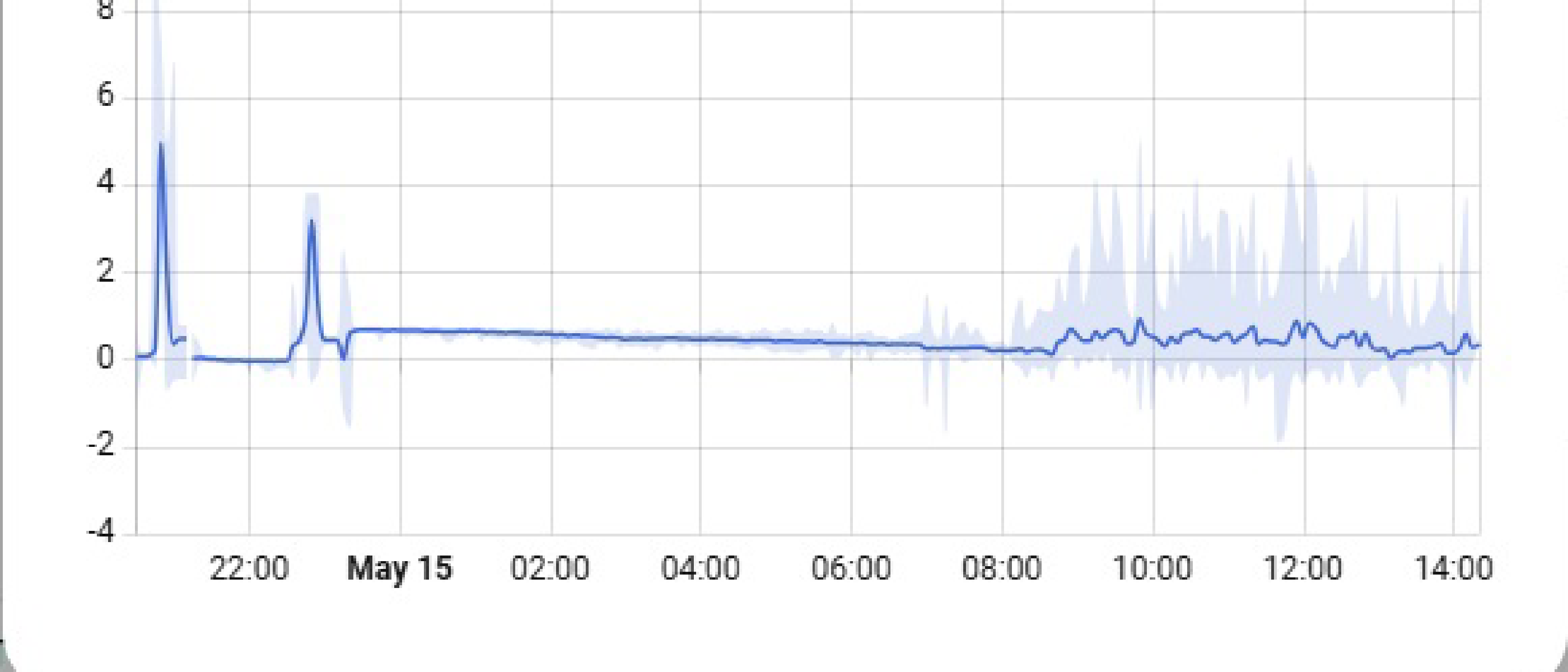
I wanted to measure differential pressure in my house just because I was curious about the airflow. The Fermion LWLP5000 by DFRobot seemed like a good fit. High resolution, ±500 Pa range, sub-Pa accuracy, and it throws in a temperature reading for free.
The problem was that ESPHome doesn’t support it. There’s an Arduino library from DFRobot, but going that route means giving up everything that makes ESPHome nice — OTA updates, Home Assistant integration, YAML-based filtering. I didn’t want to maintain a custom Arduino sketch just for one sensor.
So I wrote a proper ESPHome external component for it. This is how that went.
What it does
The component reads differential pressure and temperature from the LWLP5000 over I2C, does a zero-point calibration at startup, and exposes both values to Home Assistant with proper device classes and units. It runs on an ESP8266 D1 Mini with the sensor wired to the default I2C pins.
The file structure ended up pretty minimal:
components/
└── lwlp5000/
    ├── __init__.py       # Namespace declaration
    ├── sensor.py         # Config schema + code generation
    ├── lwlp5000.h        # C++ class declaration
    └── lwlp5000.cpp      # Runtime logic
lwlp5000_test.yaml       # Test configuration
How ESPHome components work
Before diving into the sensor-specific stuff, it helps to understand how ESPHome components are structured. There are two halves that do very different things.
The Python side runs at compile time. It validates your YAML config and generates C++ code from it. You define what options the user can set and how those translate into constructor calls and method invocations. These files never run on the ESP itself — they’re purely a code generation layer.
The C++ side is what actually runs on the microcontroller. Initialization, periodic reads, data conversion, publishing values to Home Assistant — all of that lives here.
The Python side
The __init__.py is just a namespace declaration:
import esphome.codegen as cg

lwlp5000_ns = cg.esphome_ns.namespace("lwlp5000")
The sensor.py does the real work — defining what the YAML config looks like and how to turn it into C++:
CONFIG_SCHEMA = (
    cv.Schema(
        {
            cv.GenerateID(): cv.declare_id(LWLP5000Component),
            cv.Optional(CONF_PRESSURE): sensor.sensor_schema(
                unit_of_measurement=UNIT_PASCAL,
                accuracy_decimals=2,
                device_class=DEVICE_CLASS_PRESSURE,
                state_class=STATE_CLASS_MEASUREMENT,
            ),
            cv.Optional(CONF_TEMPERATURE): sensor.sensor_schema(
                unit_of_measurement=UNIT_CELSIUS,
                accuracy_decimals=1,
                device_class=DEVICE_CLASS_TEMPERATURE,
                state_class=STATE_CLASS_MEASUREMENT,
            ),
        }
    )
    .extend(cv.polling_component_schema("1s"))
    .extend(i2c.i2c_device_schema(0x00))
)
And the to_code() function wires everything up:
async def to_code(config):
    var = cg.new_Pvariable(config[CONF_ID])
    await cg.register_component(var, config)
    await i2c.register_i2c_device(var, config)

    if pressure_config := config.get(CONF_PRESSURE):
        sens = await sensor.new_sensor(pressure_config)
        cg.add(var.set_pressure_sensor(sens))

    if temperature_config := config.get(CONF_TEMPERATURE):
        sens = await sensor.new_sensor(temperature_config)
        cg.add(var.set_temperature_sensor(sens))
The C++ side
The component class inherits from PollingComponent for periodic updates and i2c::I2CDevice for bus access:
class LWLP5000Component : public PollingComponent, public i2c::I2CDevice {
 public:
  void set_pressure_sensor(sensor::Sensor *sensor) { this->pressure_sensor_ = sensor; }
  void set_temperature_sensor(sensor::Sensor *sensor) { this->temperature_sensor_ = sensor; }

  void setup() override;
  void update() override;
  void dump_config() override;

 protected:
  bool read_sensor_data_(float &pressure, float &temperature);
  sensor::Sensor *pressure_sensor_{nullptr};
  sensor::Sensor *temperature_sensor_{nullptr};
  float pressure_drift_{0.0f};
};
The interesting bits
Talking to the sensor
This is where the LWLP5000 gets a bit unusual. Most I2C sensors use register addressing — you write a register number, then read from it. This one doesn’t do that at all. It’s a raw command-response pattern: send a 3-byte trigger, wait for conversion, read back 7 bytes.
static const uint8_t MEASURE_CMD[] = {0xAA, 0x00, 0x80};

this->write(MEASURE_CMD, 3);
delay(CONVERSION_DELAY_MS);  // 30ms

uint8_t data[7];
this->read(data, 7);
The response packs a status byte, 3 bytes of pressure, and 3 bytes of temperature. Decoding the pressure means combining bytes 1-2 into a 14-bit value and scaling it to the ±500 Pa range:
uint16_t raw_pressure = (static_cast<uint16_t>(data[1]) << 8) | data[2];
raw_pressure >>= 2;
pressure = (static_cast<float>(raw_pressure) / 16384.0f) * 1200.0f - 600.0f;
Temperature is simpler — a full 16-bit value scaled to -40°C through +85°C:
uint16_t raw_temperature = (static_cast<uint16_t>(data[4]) << 8) | data[5];
temperature = (static_cast<float>(raw_temperature) / 65536.0f) * 125.0f - 40.0f;
Dealing with drift
The sensor drifts at zero. Not a lot, but enough to notice. The fix is simple — take a reading at startup when there’s no pressure differential, store it as a baseline, and subtract it from everything after:
void LWLP5000Component::setup() {
  float pressure, temperature;
  if (!this->read_sensor_data_(pressure, temperature)) {
    this->mark_failed();
    return;
  }
  this->pressure_drift_ = pressure;
}
This assumes no pressure differential at boot, which is reasonable for most installations. If you’re measuring across a filter, just make sure the system is off when the sensor powers up.
Filtering
The DFRobot Arduino driver bakes a median filter into the readings. I decided not to do that. ESPHome already has a flexible filter system, and it felt wrong to hide filtering inside the component where users can’t control it. Instead, raw readings get published and you configure whatever smoothing you want in YAML:
pressure:
  name: "Differential Pressure"
  filters:
    - sliding_window_moving_average:
        window_size: 5
        send_every: 1
Things that tripped me up
The I2C address is 0x00 — the general call address. That’s weird and can conflict with other devices on the same bus. In practice, I just dedicated the bus to this sensor. On a D1 Mini with one I2C bus, that’s the path of least resistance.
Most ESPHome I2C examples use read_bytes(register, ...) and write_byte(register, ...). Those don’t work here because there are no registers. I had to drop down to the raw write() and read() methods, which just send and receive byte arrays without any register addressing.
The 30ms conversion delay is a blocking call inside update(). A non-blocking approach with set_timeout() would be more elegant, but at 500ms-1s polling intervals on an ESP8266, it really doesn’t matter. I left it simple.
Using it
If you want to try this with your own LWLP5000, the YAML config looks like this:
esphome:
  name: lwlp5000-sensor

esp8266:
  board: d1_mini

external_components:
  - source:
      type: local
      path: components

i2c:
  sda: D2
  scl: D1
  scan: true

sensor:
  - platform: lwlp5000
    pressure:
      name: "Differential Pressure"
      accuracy_decimals: 2
      filters:
        - sliding_window_moving_average:
            window_size: 5
            send_every: 1
    temperature:
      name: "Sensor Temperature"
    update_interval: 500ms
    address: 0x00
Compile and flash:
# First time over USB
esphome run lwlp5000_test.yaml --device /dev/ttyUSB0

# After that, OTA works
esphome run lwlp5000_test.yaml
Once it’s running, the sensor shows up in Home Assistant automatically through the ESPHome integration. Pressure and temperature entities, properly typed, ready for dashboards and automations.
It’s a small thing, but having a proper ESPHome component instead of a custom Arduino sketch means I can manage this sensor the same way I manage everything else in my setup. One YAML file, OTA updates, and all the ESPHome niceties just work.
Happy Hacking, - Hammer -